Searching for licenses
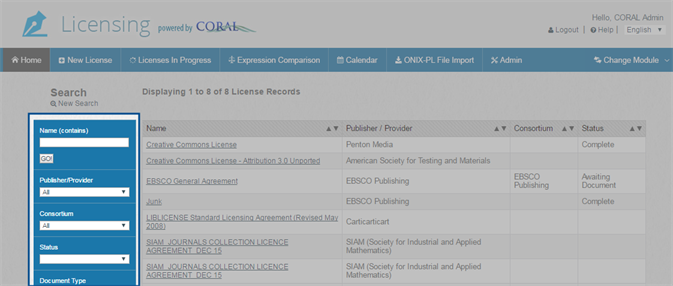
The Licenses module Home page displays a list of all existing licenses. You can use the search fields provided to the left of the list of licenses to help you find licenses that you want to view or modify. You can search by name, publisher / provider, consortium, status, or any other license field. Typically a license's name is the simplest way to find a license. However, if you cannot remember the name of a license, use the search fields that narrow the list most closely to your desired license. For example, if the license you are trying to locate has a publisher that is shared by other licenses, try searching by publisher / provider.
To search for licenses
- From the Licenses module Home page, click New Search to ensure that you are searching all of your licenses.
-
Type a value into the Name field and then click GO!, or select a value from a drop-down list search field (such as Publisher/Provider or Consortium).
Note: For more information about each search field, see Searching options.
The list of licenses is filtered by your selected search field.
- Repeat step 2 to further refine your results until you find the license that you are looking for.
Thanks for your feedback!