Managing SUSHI connection information
After a platform has been created (either manually through the SUSHI page or automatically from a manual report import), you can add SUSHI connection information to the platform to create a scheduled, automatic import of usage statistics from a platform. Platforms that have SUSHI support and are COUNTER compliant are listed on the SUSHI Server Registry page. See your platform's page for more information on obtaining your SUSHI connection information. Once your SUSHI connection information has been added, you can edit or test the connection as well.
To manage SUSHI connection information
- From a platform's Details page, select the Sushi tab.
-
Do one of the following:
- Click Add SUSHI Connection, then complete the fields as necessary.
- Click Edit SUSHI Connection Info, then edit the fields as necessary.
- Click Test SUSHI Connection to test a connection using the values you have selected.
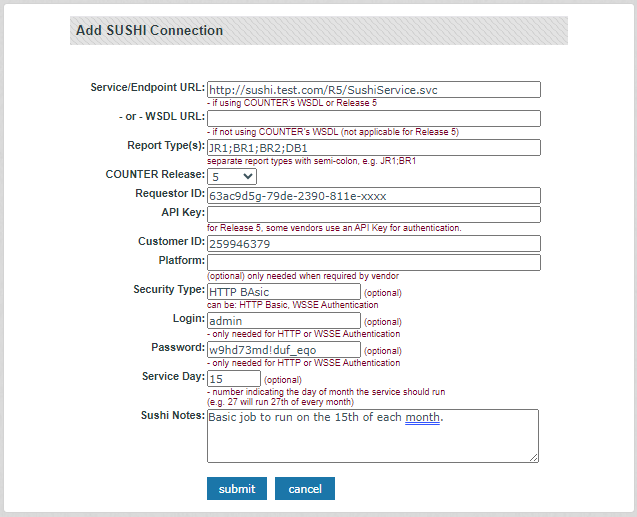
Note: See your platform's instructions on the SUSHI Server Registry page for additional details about obtaining the values for your platform.
- If you are creating or editing SUSHI connection information, click Submit when you are finished making changes.
Thanks for your feedback!