Assigning default platforms and publishers for reports
On the Report Options page you can select the platforms and publishers that can be used for usage reports. Use these options to ensure that the drop-down list of available on the Usage Reports page is a reasonable size. For example, if your system contains dozens of platforms, but you are only interested in generating reports for three of them, you would select only those three platforms. For platforms with many publishers, the publishers can also be individually selected. You can also edit the display name that is used on generated reports if the name of the platform that is contained in the usage reports is not distinguishable (for more information, see Editing display names for reports).
To assign default platforms and publishers for reports
- From any page in the Organizations module, click Report Options from the navigation bar.
-
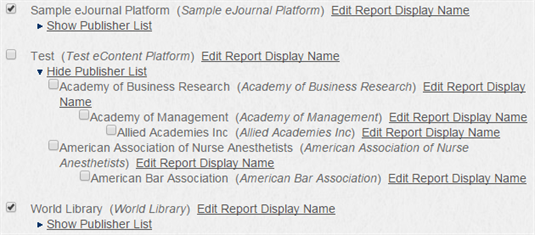
Do any of the following:
- Check the box next to a platform that you want to be able to select for usage reports.
- Click Show Publisher List, then check the boxes next to any of that platform's publishers that you want to be able to select for usage reports.
Thanks for your feedback!