Resources Home page
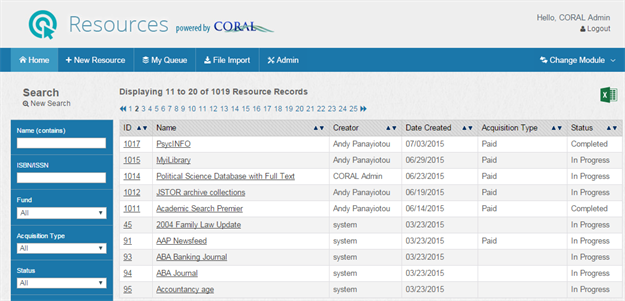
The Home page provides both search and A–Z browse access to your resource records. The Name (contains) field searches against resource name, resource alias, parent resource name and organization name. Multiple fields can be combined in a single search for more precise searching. Search results can be exported to a spreadsheet using the excel icon in the upper right corner. Exported spreadsheet files include the entirety of the current list, regardless of how many records are displayed on the current page.
After you have located a resource record that you want to view, click the name of the resource record to view the record's details. For more information about the fields and information in resource records, see Resource records.
Thanks for your feedback!