Editing a resource's contacts
You can add, edit, or remove contacts for a resource on the Contacts tab of the resource record. Use contacts to keep track of people that you may need to contact for more information about a resource. After a contact has been added, it is displayed in the Contacts tab. Any contacts belonging to an organization associated with the resource are also included in the Contacts tab.
To edit a resource's contacts
- From a resource's Details page, select the Contacts tab.
-
Do any of the following:
- Click Add Contact to create a new contact, then complete the fields as necessary.
- Click Edit contact (
 ) for an existing contact, then edit the fields as necessary.
 - Click Remove contact (
 ) to delete an existing contact, then click OK when prompted.
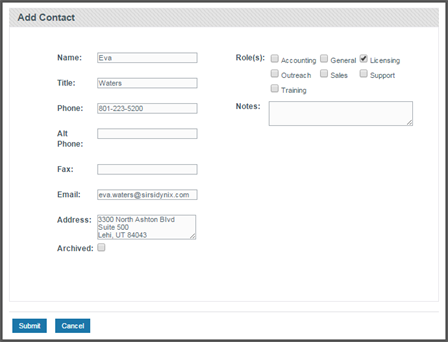
Note: For more information about each of these fields, see Fields: Editing Contacts.
- For new or existing contacts, click Submit when you are finished making changes.
Thanks for your feedback!